






Galleries, proofing, and studio tools in one place

Gidtransfer replaces zip-file delivery and spreadsheet chase with client galleries, share links, selections, bookings, CRM, and income tracking — starting with a 30-day free trial. Premium unlocks Gallery AI, a studio team, and shared shoots with other photographers.

Wedding gallery cover
Portrait gallery cover
Family gallery preview

One branded link per shoot

Create a private gallery, send a share link, and let clients heart favourites — without accounts, zip files, or chasing picks over email.

  1. Current: One branded link per shoot
  2. Studio tools beside delivery
  3. Grow into SMS, video, AI, and teams
Branded wedding gallery clients open and remember
How it works

Five steps from shoot to delivery

One gallery workspace. One share link. Proofing and delivery without the zip-file chase.

Uploading a client gallery

Step 01

Upload

Drop the shoot into a private client gallery — organised and ready before anyone opens the link.

Protected gallery previews

Step 02

Protect

Add a password gate, text watermarks on previews, and download rules — allow, limit, or block.

Sharing a gallery link

Step 03

Share

Send one public share link. No client account. Notify by SMS on Basic and above when you go live.

Client proofing selections

Step 04

Proof

Clients heart favourites and submit. Comments and flags unlock on Basic; Gallery AI smart picks on Premium.

Delivering final photographs

Step 05

Deliver

Unlock downloads when you're ready. Pro and Premium can burn your studio logo onto the files.

Client galleries

A private gallery per client or shoot

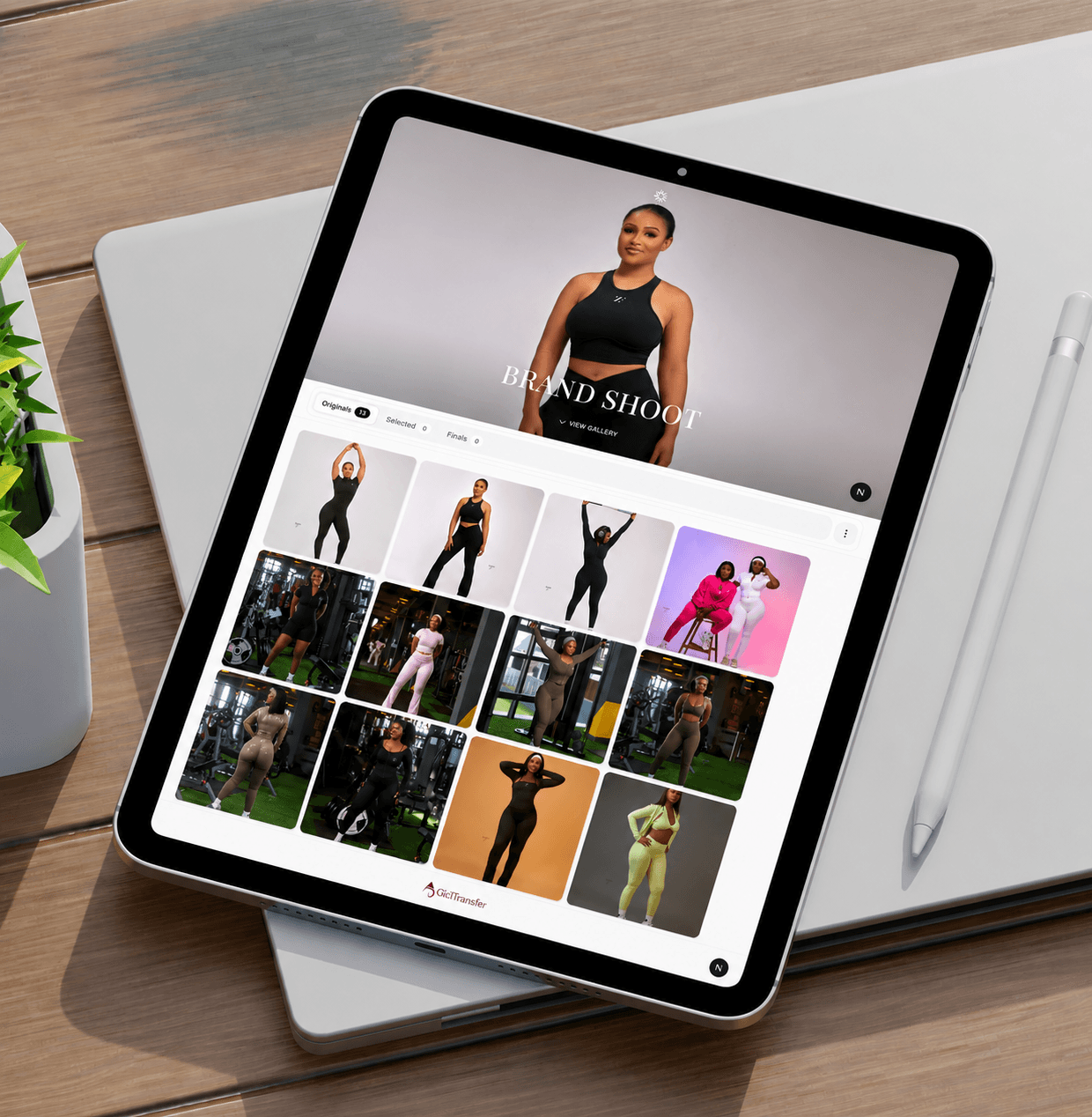
Create a client gallery, send a public share link, and let them open proofs on any device — included from the free trial. Premium unlocks unlimited galleries.

  • Client galleries — one private space per shoot
  • Share links — a public URL for proofs
  • Client selections — hearts and favourites you can see
  • Password protection before viewing when you need it
Wedding ceremony gallery cover

Sarah & James

View gallery

What clients see

A private gallery link worth opening

Share links, heart picks, password gates, and download control — the client experience from the free trial up. Premium adds Gallery AI smart picks on the link.

Selections & delivery control

Hearts, comments, and download rules

Clients pick favourites and submit. You control downloads and watermarks. Commenting and flagging unlock on Basic; on Premium, clients can also run Gallery AI smart picks on the share link.

  • Client selections with a clear submit flow
  • Download control — allow, limit, or block
  • Text watermarks on preview and selection images
  • Comment & flag images from Basic upward
  • Gallery AI smart picks on the client link (Premium)

Family portrait gallery on mobile
9:41

The Mensah Family

View gallery

What you run

The studio behind every delivery

Galleries, bookings, clients, income, SMS, and analytics on every paid path — plus Gallery AI, studio team seats, and photographer collaboration on Premium.

Studio tools

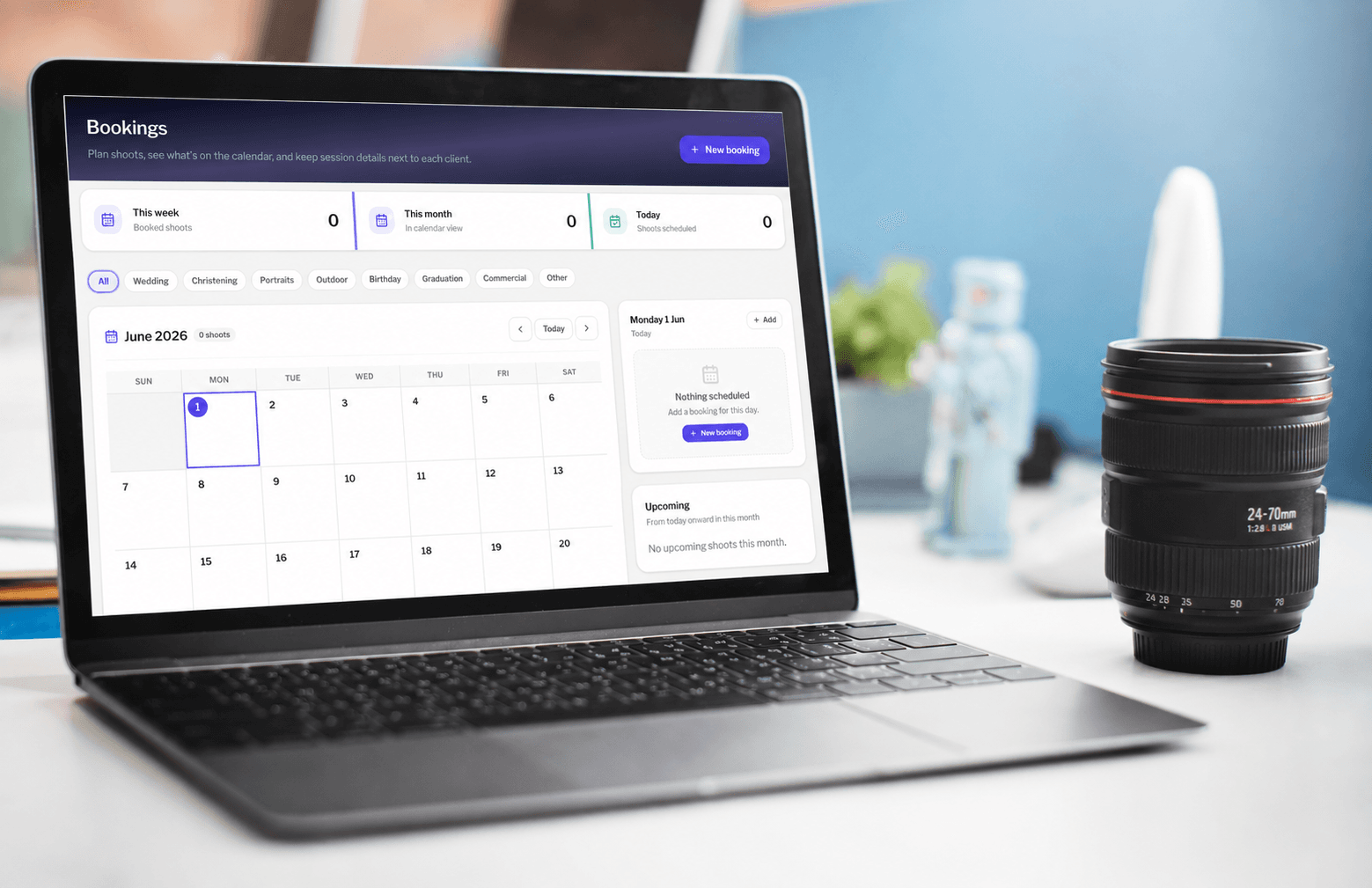
Bookings, clients, income, and SMS

Run the business next to delivery: shoot calendar, reminders, client contacts, and income summaries — plus SMS when you share on Basic and up.

  • Bookings calendar and automatic shoot reminders
  • Client management with phone, email, and notes
  • Income tracking for payments and summaries
  • SMS on share (default sender on Basic; custom studio name on Pro+)
Photographer scheduling a client session

Brand, analytics & AI

Watermarks, insights, and smarter picks

Text watermarks from day one. Pro adds a logo on downloads, advanced analytics, and trash restore. Premium adds Gallery AI — generate or improve gallery descriptions in the studio, and let clients run AI smart picks on the share link.

  • Text watermarks on previews; logo watermark on downloads (Pro+)
  • Analytics dashboard — opens, picks, selection rate
  • Advanced analytics — 7-day activity chart and download counts (Pro+)
  • Trash restore for soft-deleted galleries and photos (Pro+)
  • Gallery AI — studio descriptions plus client AI suggestions (Premium)
Engagement gallery cover

Amoa & Mensa

View gallery

Premium · Team

Invite photographers and share the shoot

Team collaboration is for working with other photographers on Gidtransfer — not client delivery. Create a shoot workspace, invite them by email, and upload images among yourselves. Uploads stay separate from client galleries. Studio team is different: create assistant logins on your account with roles and menu access (up to 10).

  • Create a collaboration workspace named for the shoot
  • Invite other Gidtransfer photographers by email
  • Share uploads in one place — client galleries stay separate
  • Studio team — assistants with roles and menus (up to 10)
  • Premium support on the top studio plan (GH₵ 120/mo or GH₵ 1,300/yr)
Photographers collaborating on a shared shoot workspace

Get started

Your next client deserves better than a zip file.

Try Gidtransfer free for 30 days — 3 galleries, 5 GB storage, share links, selections, bookings, and the core studio tools. Upgrade for SMS and video; Premium adds Gallery AI, a studio team, and photographer collaboration.

Get started

For studios preparing for growth, not hype

Start free, keep your brand, and give clients a delivery experience that already feels trusted.

Prefer to talk

Stay connected with what actually matters

Questions about delivery, branding, or whether this fits your studio — we’ll answer plainly.

Contact us